Official 73z App

App 73z — Take the Casino in Your Pocket and Play From Anywhere in Brazil

The 73z app puts the entire platform in the palm of your hand: slots, Fish Games, sports betting, and live casino, all optimized for Android and iOS with deposits via Pix.

Android iOS Browser
73z
Android
and iOS
Pix
Instant payment
24/7
Support available
100%
In English
What you'll find in the 73z app

The app brings everything the platform offers into an interface designed for mobile use, with fast navigation and controls adapted for touchscreen.

Full game lobby

Access all titles available on 73z directly through the app: slots, Fish Games, Live Casino, and much more, with filters by category and favorites.

Fast loading

Interface optimized for mobile connections. Games load without delay, even on 4G networks with average signal — no freezing mid-session.

Pix deposit

Make deposits in BRL directly in the app using Pix. The balance hits your account in seconds. Also accepts boleto bancário and credit and debit cards.

Real-time notifications

Receive alerts about promotions, tournament starts, deposit confirmations, and withdrawals directly on your phone. Nothing slips by unnoticed.

Secure biometric login

Log into your account using fingerprint or facial recognition, without typing your password every time. Secure and fast for daily use.

History and statement

Track all your bets, wins, deposits, and withdrawals through the app. Your full history is always accessible so you stay in control.

73z

73z app interface optimized for Android and iOS smartphones

How to install the 73z app

The process is simple and takes less than two minutes. See how to do it on each platform.

The 73z app is available for direct download. On Android, you need to allow installation from external sources in your device settings before proceeding.

Android 8.0+ iOS 13+ ~45 MB Wi-Fi or 4G
1
Create your account

Access 73z through your browser and complete your free registration. You'll need an email, CPF, and a password — a quick process with no hassle.

2
Access the app area

After logging in, go to the "App" section in the menu or at the bottom of the platform to find the correct download link for your device.

3
Download and install

On Android, download the APK file and allow installation from external sources when prompted. On iOS, follow the App Store or configuration profile instructions.

4
Log in and play

Open the app, log in with your 73z credentials, deposit via Pix, and start playing. All balances and account history from the web version appear automatically.

Native app vs. mobile browser

Both options work well on 73z, but the native app offers some practical advantages for players who frequently game on mobile.

Feature Native app Mobile browser
Loading speed Faster Fast
Biometric login Available Depends on browser
Push notifications Yes Limited
Access to all games Full Full
Pix deposit Yes Yes
Installation required Yes (~45 MB) No
Automatic updates Yes Always up to date
Optimized touch controls Fully Partially

Regardless of how you access the platform, your account, balance, and history are always the same. You can switch between the app and the browser without losing anything.

Everything about the 73z app

Players at 73z 73z knows that the mobile experience makes all the difference. We're not just talking about being able to play on the couch instead of at the computer — we're talking about having access to everything the platform offers in a smooth, seamless way, without graphic compression or interface limitations. The 73z app was developed precisely for this: to bring the full platform experience to your phone, with no shortcuts.

The Brazilian market is essentially mobile. A huge share of players access digital entertainment platforms via smartphone — on the bus, during work breaks, or at home on the couch. 73z understands this context and invested in a mobile experience that respects both the graphical quality of the games and the real connectivity limitations that Brazil presents.

Performance and graphics quality on mobile

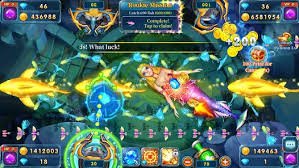
One of the biggest fears of those switching from desktop to mobile is losing quality. In the app of the 73z, this doesn't happen. Fish Games titles, for example, maintain smooth animations and visual effects even on mid-range phones. Slots have their animations optimized for mobile screen sizes, with no cutoffs or distortions.

The app uses smart asset compression: images and sounds load at the resolution appropriate for your device, without wasting your data allowance. On a smaller-screen phone, you get a lighter file; on a tablet or large-screen phone, quality increases automatically. This makes the app perform well on both a basic R$600 smartphone and a flagship device.

App security

Downloading a digital entertainment app raises legitimate security questions, and the 73z takes this seriously. All communications between the app and the servers are encrypted. Financial data is never stored locally on your phone — every transaction goes through multiple verification layers before being processed.

Biometric login (fingerprint or Face ID) adds an extra layer of protection: even if someone has physical access to your phone, they can't get into your account without your biometrics. You can also enable two-step verification directly in the app, adding another security barrier for financial transactions.

Deposits and withdrawals through the app

Finances are fully integrated into the 73z app. Making a deposit via Pix takes less than a minute: you choose the amount, the app generates the QR Code or Pix key, you pay through your bank, and the balance appears in your account instantly. No waiting for email confirmation, no unnecessary steps.

Withdrawals follow the same path. You request it in the app, enter your registered Pix key, and the amount is transferred to your bank account. Processing time varies by method, but Pix is typically handled very quickly. Everything in BRL, no currency conversion.

In addition to Pix, the app accepts boleto bancário and credit and debit cards. The variety of payment methods ensures that any Brazilian player can deposit in their preferred way — whether through a digital bank, a traditional bank, or a credit card.

Exclusive promotions for app users

A 73z frequently launches promotions aimed specifically at app users. This includes welcome bonuses for the first deposit made through the app, weekly missions that appear exclusively in the mobile interface, and tournament notifications with registration exclusive to app users.

Push notifications are a major convenience here: when a flash promotion starts — the kind that lasts only a few hours — the app notifies you right away, before you even open the platform. That's the difference between catching a 24-hour bonus and missing the deadline because you didn't see it in time.

Compatibility and technical requirements

The 73z app 73z works on Android from version 8.0 and on iOS from iOS 13. This covers virtually every smartphone still in use in Brazil today. The installation file size is around 45 MB — easily fits on any phone without taking up significant storage.

For a smooth experience, we recommend a stable Wi-Fi connection or 4G with a reasonable signal. The app can work on 3G for simpler games, but for live casino and multiplayer Fish Games, a more stable connection ensures better control responsiveness.

Play responsibly. The 73z app is a form of entertainment — not a guaranteed source of income. Use the Responsible Gaming available in the app to set deposit, session, and betting limits.

Direct support through the app

If you have any questions or issues — whether with a deposit, the installation, or a specific game — 73z support 73z is accessible directly through the app via chat. Support is available in Portuguese every day of the week. For more complex issues, you can also open a ticket with a conversation history, making it easier to track the resolution.

73z

Pix deposits and withdrawals integrated into the 73z app

App highlights
  • 100% English interfaceMenus, support, and game rules in English, no translation needed.
  • Unified accountSame login and balance on the app and browser. Switch between devices without losing anything.
  • Native dark modeThe app follows the system theme or allows manual selection for visual comfort.
  • Automatic updatesNew features and games arrive without needing to reinstall.
  • Live Casino on mobileReal dealers streamed in HD directly to your smartphone.
Ready to install?

Create your free account and access the direct download link through the 73z dashboard.

Create Free Account
73z

Slots, Fish Games, and sports betting on the 73z app

All games on your phone

The 73z app gives you full access to the lobby, with no categories blocked on mobile. Here's what you'll find:

  • Fish Games Fish game titles are especially well adapted for touch. Aim and shoot controls were redesigned for fingers, making the experience more precise than on any other mobile platform.
  • Slots Hundreds of slot titles available in the app, with filters by theme, provider, and volatility. Bet buttons are large enough for touchscreen use without errors.
  • Live Casino Tables with real dealers streamed in HD. In the app, video quality automatically adjusts to your connection speed to keep gameplay smooth.
  • Sports Betting Bet on football, basketball, tennis, and other sports with real-time odds. The live betting section runs with instant updates in the app.
  • Promotions and tournaments Access the promotions page, join tournaments, and redeem bonuses directly through the app, with notifications so you never miss an offer.
Frequently asked questions about the app

Yes, downloading and installing the app is completely free. You pay nothing to install or use the app. The only costs involved are those of bets and games within the platform, just as with the web version.

No. If you already have a 73z account, just log in with the same credentials on the app. Your balance, history, and preferences are automatically synced between the app and the web browser.

On Android, go to Settings > Apps > Special app access > Install unknown apps. Select the browser or file manager you used to download the APK and enable the permission. Then just open the file and confirm the installation.

Yes. The 73z app is responsive and works well on Android tablets and iPad. On larger screens, the interface takes advantage of the extra space to display more options and game details, making the experience even more comfortable.

Yes. The app's financial section lets you request withdrawals via Pix just as easily as on the website. Go to "My Account" > "Withdrawal", enter the amount, and confirm with your registered Pix key. See the Deposit for more details on processing times and minimum amounts.

Battery and data usage depends mainly on the game type. Slots consume fewer resources than live casino or multiplayer Fish Games. For long sessions, we recommend keeping your phone plugged in and using Wi-Fi to save your mobile data allowance.

First, try closing the app completely and reopening it. If the problem persists, clear the app cache in your phone's settings. If it still doesn't work, uninstall and reinstall the latest version. For specific issues, contact 73z support via the chat available on the platform.
Download the 73z app and play from anywhere

Free registration, Pix deposits in BRL, support in Portuguese, and full lobby access from your phone. Available for Android and iOS.

Entertainment exclusively for users 18 and older. Play responsibly — access Responsible Gaming. See the Terms and Conditions before using bonuses.

Português (Brasil)